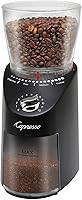
Breville Smart Grinder Pro Grind Size Chart
The Breville Smart Grinder Pro has 60 settings, but the right grind size depends on your coffee, brewer, and taste. Use the chart below as a starting point, then adjust one step at a time.
On this page (9 sections)
- What is the Breville Smart Grinder Pro grind size chart?
- How do you choose a Smart Grinder Pro setting?
- What setting should you use for espresso?
- What setting works for pour over?
- What setting works for drip coffee?
- What setting works for French press and cold brew?
- How can you save settings that work?
- Which grinder fits if you need different adjustments?
- How should you adjust the chart for a new coffee?
The Breville Smart Grinder Pro has 60 grind settings for espresso, filter coffee, and coarser brewing methods. Use the chart below as a starting point, then adjust by taste and brew flow because beans and recipes can change what works.
What is the Breville Smart Grinder Pro grind size chart?
This chart gives starting ranges, not fixed recipes. Breville describes the grinder as having 60 settings, but a setting number alone cannot account for every bean, basket, dose, or brewer.
| Brew method | Starting grind range | What to adjust for |
|---|---|---|
| Espresso | Fine end of the range | Shot runs too fast or too slow |
| Pour over | Medium-fine to medium | Drawdown and cup balance |
| Automatic drip | Medium | Brew time and taste |
| French press | Coarse | Steep time and sediment |
| Cold brew | Coarse | Steep time and strength |
The ranges use words instead of exact dial numbers because the right point depends on the coffee and setup. Start near the range that matches your method, then move one step at a time.
How do you choose a Smart Grinder Pro setting?
Choose a grind size based on how water moves through your coffee. Fine grounds slow flow, while coarser grounds let water pass more easily.
Start with the recipe or brewer instructions if they give a grind recommendation. If they don't, use the chart, brew once, and change only the grind setting on the next batch.
A setting that tastes balanced for one coffee may not suit another. Keep the dose and brew steps steady while adjusting, so you can tell whether the grind change helped.
What setting should you use for espresso?
For espresso, begin in the fine range and adjust to match the shot flow. If the shot runs too quickly, try a finer setting; if it runs too slowly, try a coarser one.
Change one step at a time and keep the dose, basket, and brew routine consistent. A small adjustment is easier to judge than a large jump across the dial.
The Smart Grinder Pro can grind directly into a portafilter and has programmable grind time in 0.2-second increments. Those features can help you repeat a starting dose, but grind size still needs to match your coffee and espresso setup.
If you want to compare espresso grinders with a dedicated micro-step range, the Baratza Encore ESP has micro-steps for espresso and macro-steps for filter brewing.
What setting works for pour over?
Pour over usually starts in the medium-fine to medium range. Adjust if water drains unusually fast or slow, or if the cup tastes off balance.
Use the same pour pattern and coffee amount while you tune the grind. Our guide to choosing a pour over grind size explains how grind and brew flow work together.
How should you adjust the grind for pour over?
If the brew drains too quickly, try a finer setting next time. If it drains too slowly, try a coarser one.
Make one small change per brew and write down the result. That gives you a useful reference when you switch beans or return to a coffee you liked.
What setting works for drip coffee?
For an automatic drip maker, start around medium and adjust based on brew time and taste. The best setting can vary with the filter basket and how much coffee you're brewing.
If the cup tastes weak and water passes quickly, try a finer setting. If it tastes harsh or the brew stalls, try a coarser one, changing only one step at a time.
See our guide to grind size for drip coffee for more ways to match grind to your machine.
What setting works for French press and cold brew?
French press and cold brew usually call for coarse grounds. Start in the coarse range and adjust the steep time or grind a little finer if the coffee tastes too weak.
For French press, keep the steep time steady while you tune the grind. Our French press grind size guide covers the relationship between grind, steeping, and sediment.
Cold brew recipes vary in steep time and coffee-to-water ratio, so the chart is only a starting point. For more detail, see what grind size works for cold brew.
How can you save settings that work?
Write down the grind setting, coffee, dose, and brew method when a cup tastes right. The Smart Grinder Pro's LCD shows the grind setting and grind time, which can help you return to a previous starting point.
Use the grinder's time adjustment to repeat a dose, then check the amount when you change beans or brew methods. A saved time is a useful reference, not a guarantee that every coffee will produce the same amount.
Which grinder fits if you need different adjustments?
The Smart Grinder Pro suits readers who want 60 settings and timed dosing across espresso, filter, and coarse brewing. Its settings cover a broad range, and it can grind into a portafilter or container.
The Baratza Encore ESP may suit you if you want separate adjustment ranges for espresso and filter coffee. Its dial uses micro-steps from 1–20 for espresso and macro-steps from 21–40 for filter brewing.
The Baratza Virtuoso+ offers 40 grind settings and a digital timer adjustable to a tenth of a second. It can be a fit if you want timed grinding and a backlit grounds bin for checking the dose.
For a closer look at the Breville model's features, read our Breville Smart Grinder Pro review. If you are still deciding whether the burr style suits your routine, see how to use a burr coffee grinder.
How should you adjust the chart for a new coffee?
Start with the same brew method and recipe you normally use, then tune the grind in small steps. Keep notes when you find a setting that gives you a cup you like.
Choose the Smart Grinder Pro if you want many settings and timed dosing in one grinder. Choose the Encore ESP if its distinct espresso and filter ranges fit your brewing habits, or the Virtuoso+ if its timer and 40 settings match your needs.
Frequently asked questions
What grind setting should I use on a Breville Smart Grinder Pro?
Start with a setting suited to your brew method, then adjust based on how the coffee tastes and flows. Espresso usually needs a fine grind, while French press and cold brew use coarser grounds.
The Smart Grinder Pro has 60 settings, so make small changes and keep notes.
What setting should I use for espresso on a Breville Smart Grinder Pro?
Start in the fine range and adjust until your espresso flows at a pace that suits your recipe. If it runs too quickly, try a finer setting; if it runs too slowly, try a coarser one.
Change one step at a time and keep the dose and recipe steady.
Can the Breville Smart Grinder Pro grind for French press?
Yes. The Smart Grinder Pro has 60 settings spanning espresso to French press and other brew methods.
Start in the coarse range, then adjust to your preferred brew time and cup.
For French press guidance, see our French press grind size guide.
Does a higher number mean a finer grind on the Smart Grinder Pro?
The grinder has numbered settings, but use the markings and your coffee's results together rather than assuming a number fits every bean or recipe. Start with a setting for your brewer, then adjust in small steps.
Record the setting that works so you can return to it.